TC1
TC1 power strip
Six outlets, power and energy, schedules and child lock.
IoTCloud · Community maintained
Community firmware for TC1, M1, A1, S30M-V1B and DAIKIN G2 and G3. Use the local web interface, MQTT, Home Assistant or IoTCloud device management.
01 / Devices and features
Local controls and shared management tools for each supported device.
TC1
Six outlets, power and energy, schedules and child lock.
M1
PM2.5, formaldehyde, temperature, humidity, brightness and A1 automation.
A1
Fan, automatic mode, filters, light ring, night mode and multi-monitor automation; a fresh-air variant is available.
S30M-V1B
Relay control, voltage, current, power and accumulated energy, with meter calibration.
DAIKIN
PM2.5, PM10, CO₂, temperature, humidity, TVOC and optional formaldehyde; A1 automation.
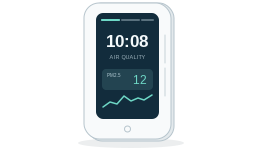
DAIKIN G3
Air quality readings, clock, weather and configurable screen layouts.
TC1 A1 hardware and the A1 purifier are different products; their images are not interchangeable. TC1 A2 is unsupported. M1 / A1 require original EMW3080B / MK3080B modules. Daikin G2 is verified on BRY88AB151K ESP32 / 4 MB; G1 compatibility remains unconfirmed. G3 BRY88BBA15G has 8 MB and a separate image.
After Wi-Fi setup, open the device IP to control and configure it. No platform account is required. Your own MQTT / Home Assistant can also run on the LAN.
MQTT / Home Assistant →IoTCloud manages multiple devices in one account. China / US accounts and data are separate. Self-hosting is also available.
Separate from the Wi-Fi module, it adds particle details, CO₂ display and RTTTL music under GPL-3.0. Recommended for stock 11.x. Stock 17.1.2.3 / 17.x differs substantially and awaits analysis; migration is discouraged. Wi-Fi OTA does not update this controller. Basic readings do not require it.
Demos use simulated data and do not control devices.
02 / Install and update
For a first installation, check hardware, backups and power. Existing community devices use their model-specific update method.
Check the model, image format and recovery method.
Before flashingFollow the model guide, then join your home Wi-Fi.
Quick startRead upgrade changes and use a supported update method.
Firmware updatesChoose your device for flashing, updates, use and recovery.
Stable and candidate releases are listed separately; RC builds are for beta testing. Choose the matching model and variant; check the release notes for version requirements.
Loading release archive…
Verifying candidate downloads…
For reference and recovery. Choose an image for the correct model and version.
Controller and Wi-Fi firmware have separate versions. Use the latest compatible Wi-Fi/controller pair. Migrating stock 11.x requires the full-image forwarding capability; check the update guide.
Recommended for stock 11.x; migration from 17.1.2.3 / 17.x is discouraged. Application OTA preserves Boot. A full stock backup cannot be used for application OTA.
Loading controller releases…
Screen application, font and first-install tools.
Choose the matching hardware and component. These files are separate from community releases.
e1dacd09eebeeaf847f2136498132bd956a9e4a30787c879de668c9a7908a2d16a8a9f72741e01d5ebc73467819079146553ec73339029eaf4cc49e8cbd1a7f93d916ba30e224ef9ecbc630bfe41d337140256180fac66fcf0e36de86e8f40c9cfbc630eb213dbe4333c8a10e51ea7796b0ad246acc257bb9499383e2fa490e90f0a21991df533d01c21cafba208255810bc1bdbe4161b95b5b2bb760fbba9b8256fb6486ab07b60f983bbd94535311e74ef17f63db9a87fa511d1349064b83df8cb15df4af963ad2e6461daf73a4d77b67e19c04887c76b4d1f22b148a77aefa28b436e4953abb7b05fe08382cf4a8e76f5e18aed37373263ac1ff96826596096e7a0058d1937e082bc216da2baee90a9abb349846077d40a64ee2ff933869774d47b6b88638e5489e87154c3274f345dad7cadd03d29610b71edc966c2634c9bf014e2692d0e88f48fc30d7a9956f43ce24da034ad5d02db60028a7ce16ea11d0b848af6195b39849260a3c9ff2a020d574ca9b98c2c2665d2278f349796c2ccb9d414186c5ea47823badf5083f7ab5b1b61b02c6a8d0510af6ee31bebdf09b4b361b6f58297bc6d5d0f96057ca60e3389c87508ab6a1f515d3bd00ec98c5903 / Common questions
No. After Wi-Fi setup, the local web interface works directly. MQTT and Home Assistant can also run entirely on your LAN.
No. The Wi-Fi module and sensor controller update separately. Extended features require matching versions and capabilities. Stock 17.x migration is currently discouraged.
Choose the DAIKIN hub variant in downloads and check the hub guide for version requirements. Apple Home uses experimental HAP bridging; Matter is unavailable.
Check your model and version, then follow troubleshooting and the matching installation guide. Include reproduction steps when reporting an issue, and remove passwords and tokens.
04 / Contribute
HTTP / MQTT, controller protocols, configuration compatibility and test vectors are maintained together for firmware, frontend, platform and automation developers.
Project-maintained Wi-Fi firmware code uses GPL-3.0. SDKs and third-party components retain their own terms.
Choose firmware by model; see the release notes for features and version requirements.